Icon of program: Pencil

Pencil for Windows

Free Download for Windows

View an ad to download for free

Create animated digital comics

Pencil is a vector drawing program for Windows that lets you make your own digital comics.

Top Recommended Alternative

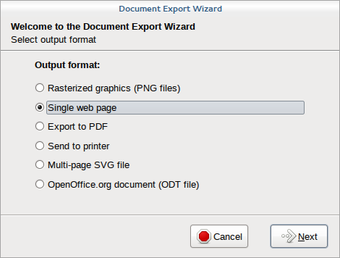
Pencil is based around traditional hand-drawn animation techniques, and it's free. At the center of the application is a timeline, which allows you to add four types of layers: bitmap image, vector image, sound, and camera. The animation basically works by setting keyframes one each layer and arranging the different layers on top of each other.

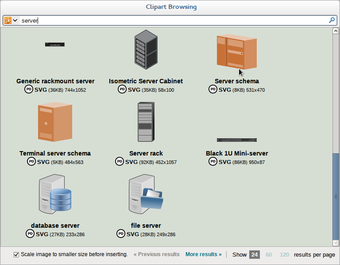
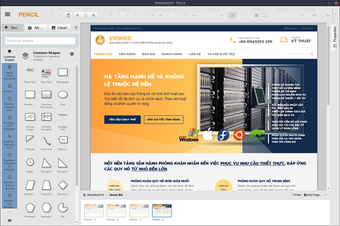
You start by sketching out your characters in bitmap format using the pencil tool, before adding a vector layer and inking it out with the pen tool and fill tool. The principle of Pencil is very simple and the interface is much clearer than that of Flash or a similar high-end animation tool. What we liked about Pencil is that all the tools and options are on display from the start and nothing is hidden, plus you can detach or remove palettes to make things easier on yourself.

The problem with Pencil is that it's very difficult to produce good quality drawings unless you have a graphics tablet - most mouses simply aren't conducive to precise sketching. What's more, there aren't any predefined shapes, objects or templates included that might help you get started.

So, while Pencil might be a good way to learn the basic principles of cartoon animation, it's difficult to create anything truly impressive unless you've lots of patience.


  • Pros

    • Clear, customizable drawing interface
    • Neatly-organized timeline
    • Open source
  • Cons

    • You'll need a graphics tablet to get anything impressive out of it
 0/3

App specs

Also available in other platforms

Program available in other languages


Icon of program: Pencil

Pencil for PC

Free Download for PC

View an ad to download for free


User reviews about Pencil

2.9

13 reviews

Add review

Main reviews for you

  • Anonymous user

    The pictures and the program are two completely different things. DO NOT DOWNLOAD.

  • Anonymous user

    HORRIBLE. it doesn't even work. I wasn't able to use it because it didn't function. Pros: NOTHINGNOPE Cons: everythingit docent function

  • Anonymous user

    ONLY for (extremely patient) beginners. This is a good software ONLY for beginnersThe problem in this is that u cant draw smoothly... even if u have a graphics tablet, itll e hard to draw in pencil... its not a smooth program.But all the features in it is amazing.I would recommend it to only,,, like... rookies... like idk, kids??Because ull need a lot of patience, because the lines just wont come out straight, and the animation will be wriggly,,, or smth like that Pros: different layer optionsmany easy featuresadjustable fps rate Cons: smoother screen (lines wont come out straight)more features to blend colours, or edit itdifferent types of brushes

  • Anonymous user

    FINE.. ITS O.K But could be better. I like to use it for animating a lot (duh)

  • Anonymous user

    BEST THING EVER!!!. I used it for an animation for something...IT WAS SO GOOD ALMOST EVERYONE HEARTED IT!!!

  • Anonymous user

    Great, works on windows 7, but it wont export if the animation is too long.. Awesome! However, if the animation is to large/long, it can't export. Also, even though I use windows 7, it works...

More

You may also like

Alternatives to Pencil

Explore Apps

Latest articles

Laws concerning the use of this software vary from country to country. We do not encourage or condone the use of this program if it is in violation of these laws.
Softonic

Is Pencil safe?

100/100

Score result: Clean

This file passed a comprehensive security scan using VirusTotal technology. It is safe to download.

  • Virus free
  • Spyware free
  • Malware free
  • Verified by Security Partners

    VirusTotal logo

Scan Info

Last scan
Wednesday, May 22, 2024
Scan provider
VirusTotal · Full report

File Integrity

File
Pencil_Project_V3.1.1.exe
SHA256
3c4a9532f0a09150661cdcaf737791c46f1737557e4b1bb97f6b980835f3e8d3
SHA1
190663eb496c54db43f303d1e91d8e974b580875

Softonic security commitment

Pencil has been thoroughly scanned by our advanced security systems and verified by industry-leading partners. This file comes from the official developer and has passed all our security checks, showing no signs of viruses, malware, or spyware. For more information, visit our Security and Trust Center